
73 lines
3.2 KiB
Markdown
73 lines
3.2 KiB
Markdown
# Messenger plugin for Redmine
|
|
|
|
This plugin posts updates to issues in your Redmine installation to [Slack](https://slack.com/), [Rocket.Chat](https://rocket.chat/) or [Mattermost](https://about.mattermost.com/) channel.
|
|
|
|
[](https://gemnasium.com/github.com/AlphaNodes/redmine_messenger) 
|
|
|
|
## Screenshot
|
|
|
|
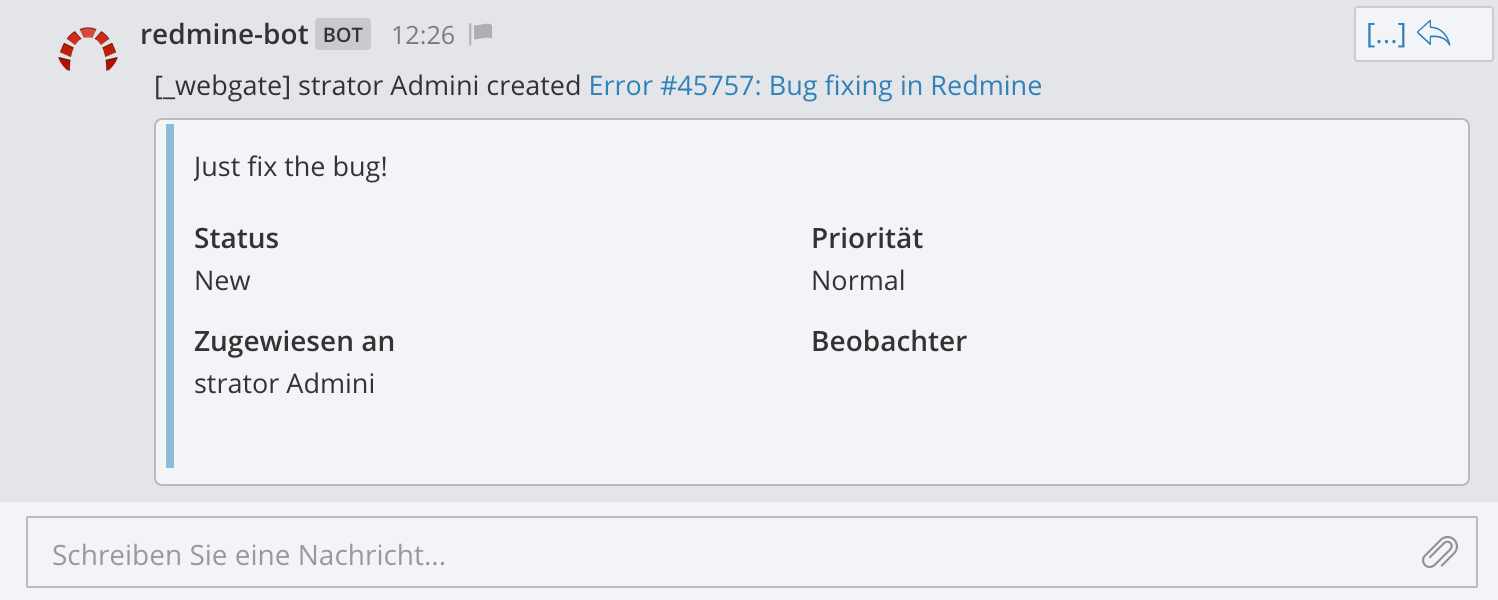
Mattermost output:
|
|
|
|
|
|
|
|
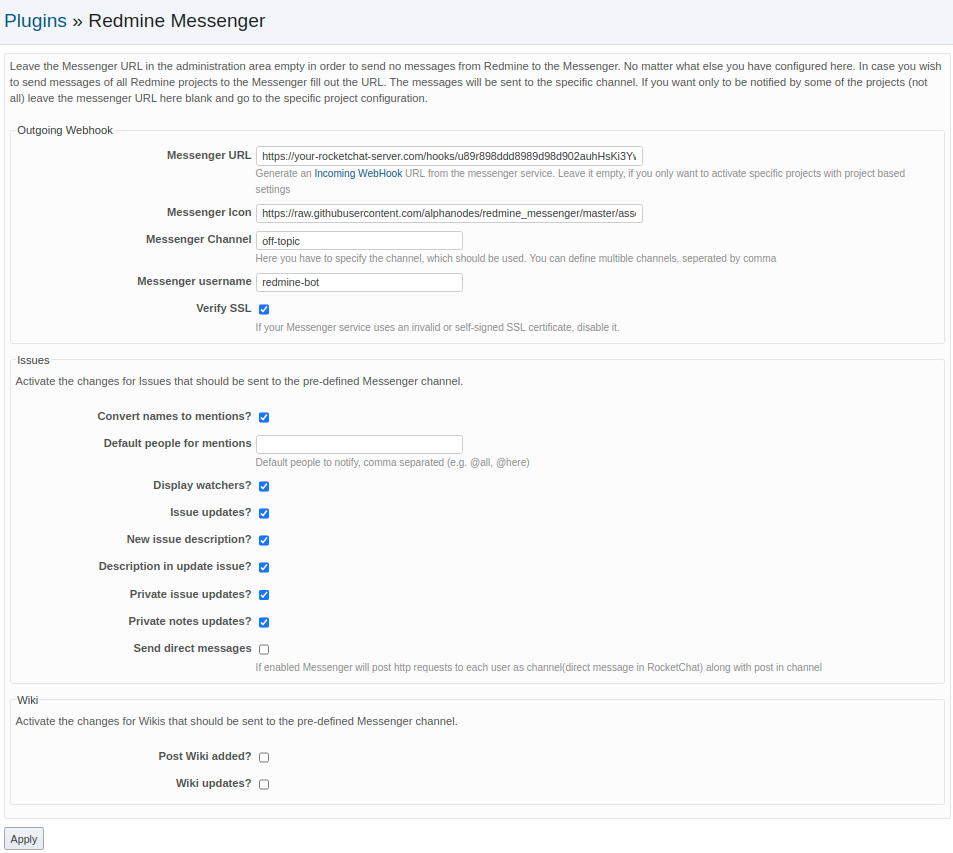
Redmine configuration:
|
|
|
|
|
|
|
|
## Prepare your messenger service
|
|
|
|
### Slack
|
|
|
|
Go to Slack documentation [Incoming Webhooks](https://api.slack.com/incoming-webhooks) for more information to set up Incoming WebHook
|
|
|
|
### Mattermost
|
|
|
|
Go to Mattermost documentation [Incoming Webhooks](https://docs.mattermost.com/developer/webhooks-incoming.) for more information to set up Incoming WebHook
|
|
|
|
### Rocket.Chat
|
|
|
|
Go to Rocket.Chat documentation [Incoming WebHook Scripting](https://rocket.chat/docs/administrator-guides/integrations/) for more information to set up Incoming WebHook
|
|
|
|
|
|
## Requirements
|
|
|
|
* Redmine version >= 3.0.0
|
|
* Ruby version >= 2.1.5
|
|
|
|
|
|
## Installation
|
|
|
|
Install ``redmine_messenger`` plugin for `Redmine`
|
|
|
|
cd $REDMINE_ROOT
|
|
git clone git://github.com/alphanodes/redmine_messenger.git plugins/redmine_messenger
|
|
bundle install --without development test
|
|
|
|
Restart Redmine, and you should see the plugin show up in the Plugins page.
|
|
Under the configuration options, set the Messenger API URL to the URL for an
|
|
Incoming WebHook integration in your Messenger account and also set the Messenger
|
|
Channel to the channel's handle (be careful, this is not the channel's display name
|
|
visible to users, you can find each channel's handle by navigating inside the channel
|
|
and clicking the down-arrow and selecting view info). See also the next two sections
|
|
for advanced and custom routing options.
|
|
|
|
## Customized Routing
|
|
|
|
You can also route messages to different channels on a per-project basis. To
|
|
do this, create a project custom field (Administration > Custom fields > Project)
|
|
named `Messenger Channel`. If no custom channel is defined for a project, the parent
|
|
project will be checked (or the default will be used). To prevent all notifications
|
|
from being sent for a project, set the custom channel to `-`.
|
|
|
|
For more information, see [https://www.redmine.org/projects/redmine/wiki/Plugins](https://www.redmine.org/projects/redmine/wiki/Plugins) (see also next section for an easy configuration demonstration).
|
|
|
|
## Credits
|
|
|
|
The source code is forked from
|
|
|
|
- [redmine_rocketchat](https://github.com/phlegx/redmine_rocketchat)
|
|
- [redmine_mattermost](https://github.com/altsol/redmine_mattermost)
|
|
- [redmine-slack](https://github.com/sciyoshi/redmine-slack)
|
|
|
|
Special thanks to the original author and contributors for making this awesome hook for Redmine. This fork is just refactored to use Messenger-namespaced configuration options in order to use all hooks for Rocket.Chat, Mattermost AND Slack in a Redmine installation.
|